
On this page
On this page
Jump to a section
To watch IPTV on an LG Smart TV, install IPTV Smarters Pro from the TV’s Apps store and sign in with the Xtream Codes login from your IPTV Canada provider, typing it with the Magic Remote. If your TV’s store does not list it, a website activated player such as IBO Player works the same way through its MAC address. Either route takes about 10 minutes and needs no extra box. Your login is in the welcome email for your IPTV Subscription.
1. Before You Start
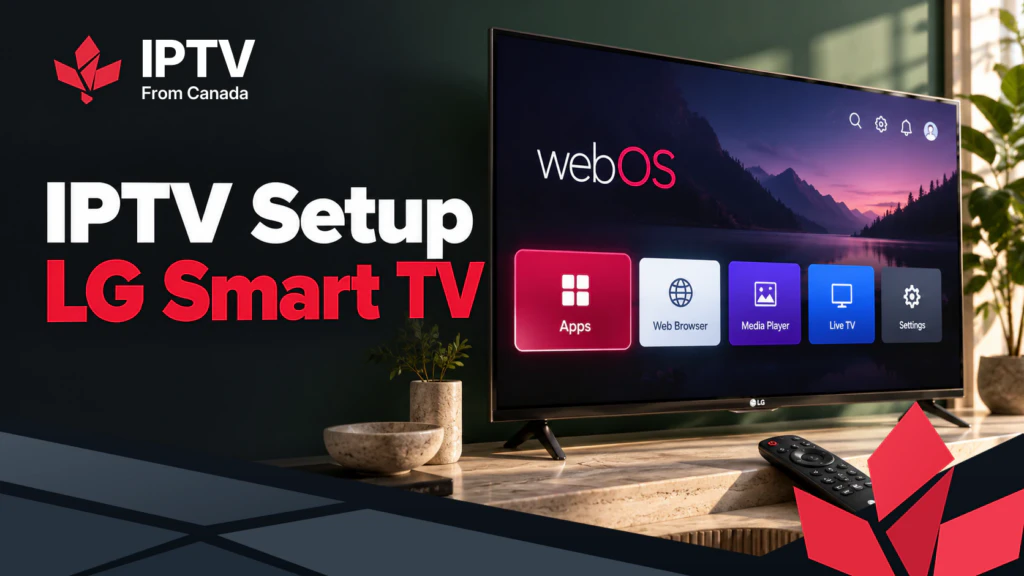
LG TVs run webOS, LG’s own system. Like Samsung’s Tizen, it does not run Android apps: every player comes from LG’s store, which newer TVs call Apps and older ones the LG Content Store. Do not confuse IPTV players with LG Channels, the free channel service built into the TV; it cannot load your login.
- Update the TV. Go to Settings > All Settings > Support > Software Update and choose Check for Updates. Older models put it under General > About This TV. LG’s software update guide shows both paths.
- Pair the Magic Remote. Point it at the screen and press the scroll wheel. Its pointer makes typing a login on the TV realistic.
- Sign in to an LG account if the store asks.
- Have your welcome email on your phone. Our post on where to get an IPTV URL explains each part of the login.
2. Which App to Use
| App | How you add your login | Cost |
|---|---|---|
| IPTV Smarters Pro | Xtream Codes typed on the TV | Free in LG’s store |
| IBO Player | Uploaded on the developer’s website with the app’s MAC address | Usually a trial, then a one time activation fee |
| Duplex IPTV (Duplex Play) | Uploaded on the developer’s website with the app’s device key | Usually a trial, then a one time activation fee |
| SS IPTV | Playlist link or code added through its website | Free player |
Start with IPTV Smarters Pro: you sign in on the TV itself and the guide arrives with the login. Store listings vary by model and webOS version, so if your TV does not show it, use IBO Player or Duplex Play. Activation fees go to the app developer, not to your provider; pay them only on the developer’s own website.
3. Install IPTV Smarters Pro
- Press Home on the Magic Remote and open Apps from the row of app tiles.
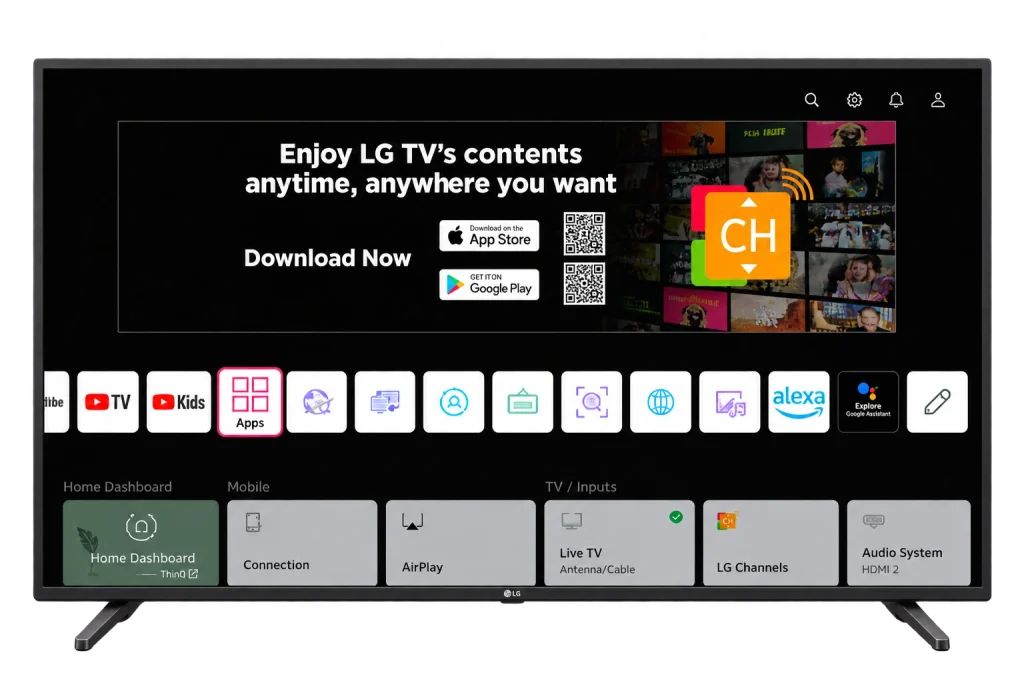
- Select the search icon at the top right of the Apps store.
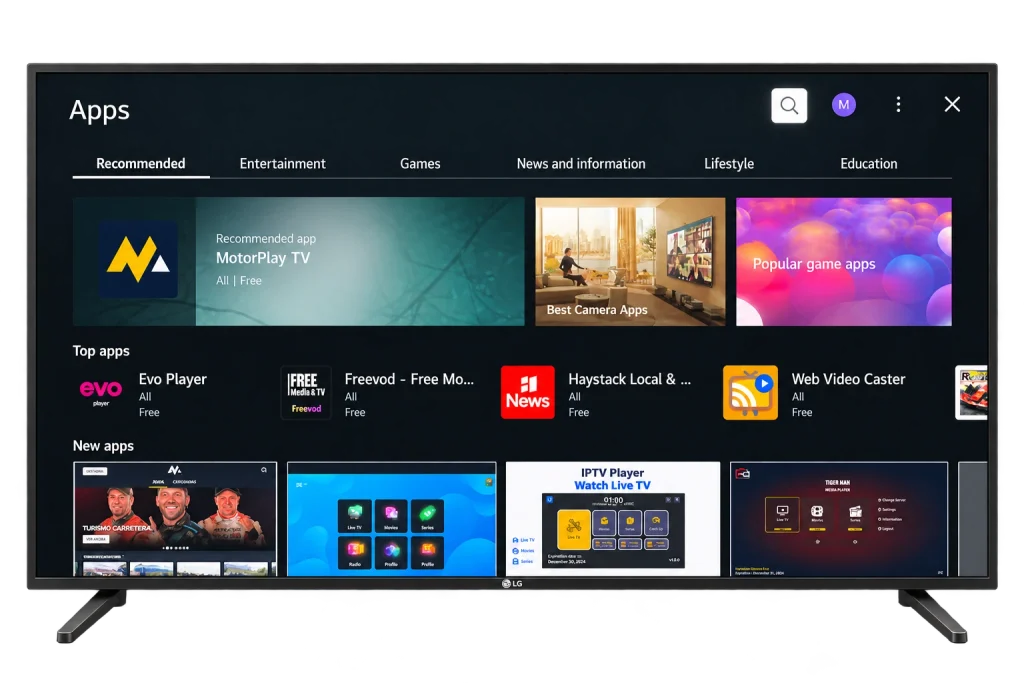
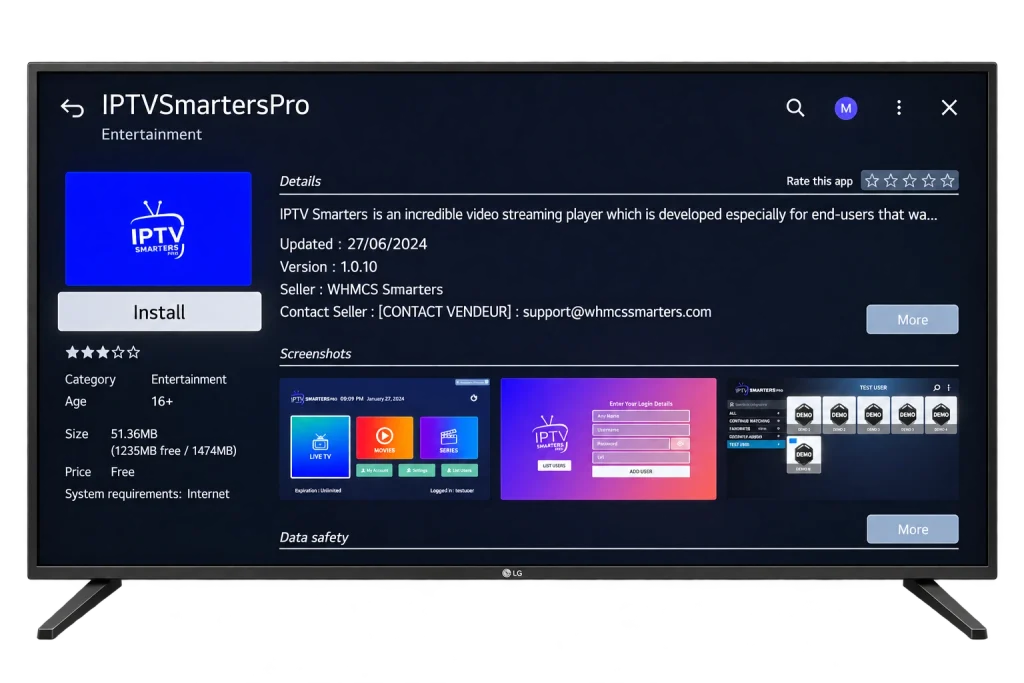
- Type IPTV Smarters Pro, or press the microphone button and say it. Select IPTVSmartersPro in the Applications row.
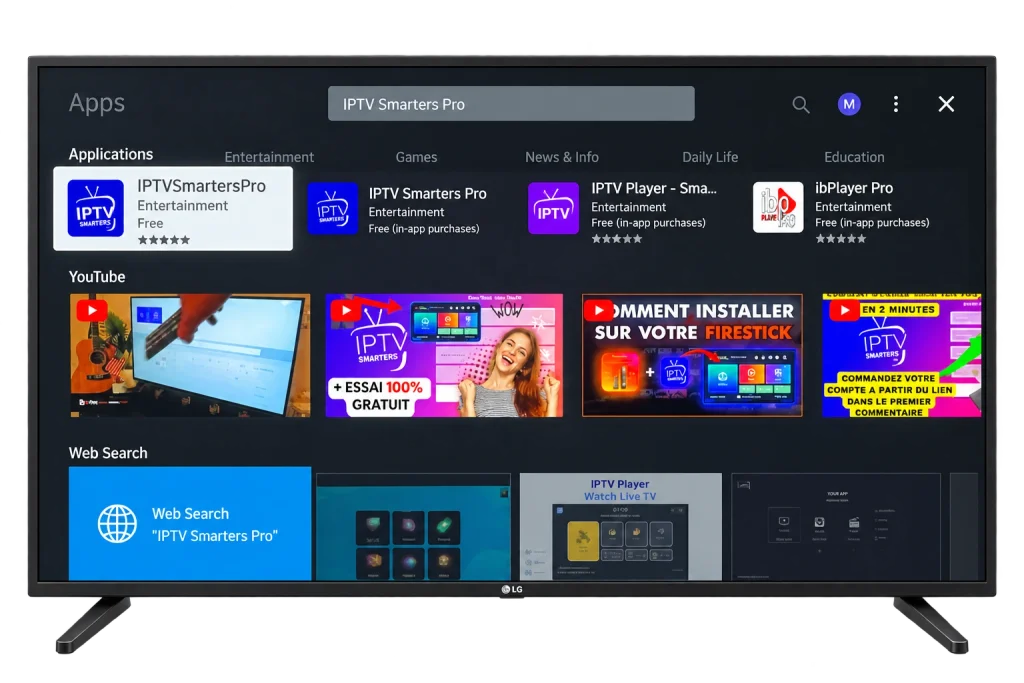
- Check that the seller is WHMCS Smarters, then select Install.
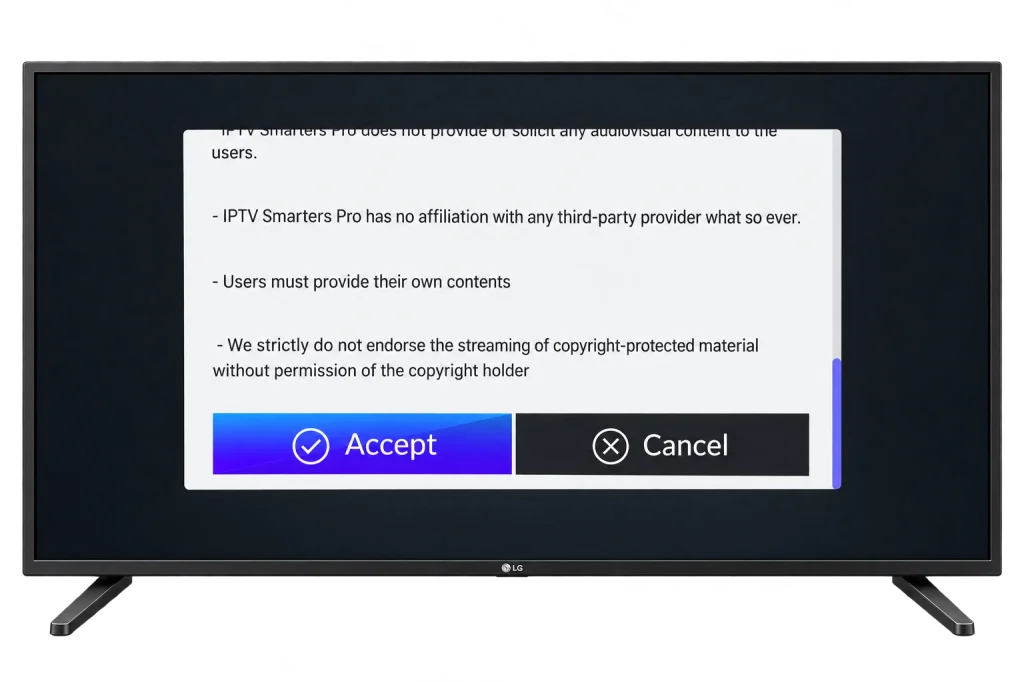
- Open the app and select Accept on the terms screen.
4. Sign In With Your Login
- On Enter Your Login Details, type a name in PlayList Name, such as “Living room”.
- Enter your User Name and Password. Both are case sensitive; the eye icon shows the password so you can check it.
- In Url, enter the server address exactly as your email shows it, including
http://orhttps://and the port number after the colon. - Select ADD USER and wait while the channels load.
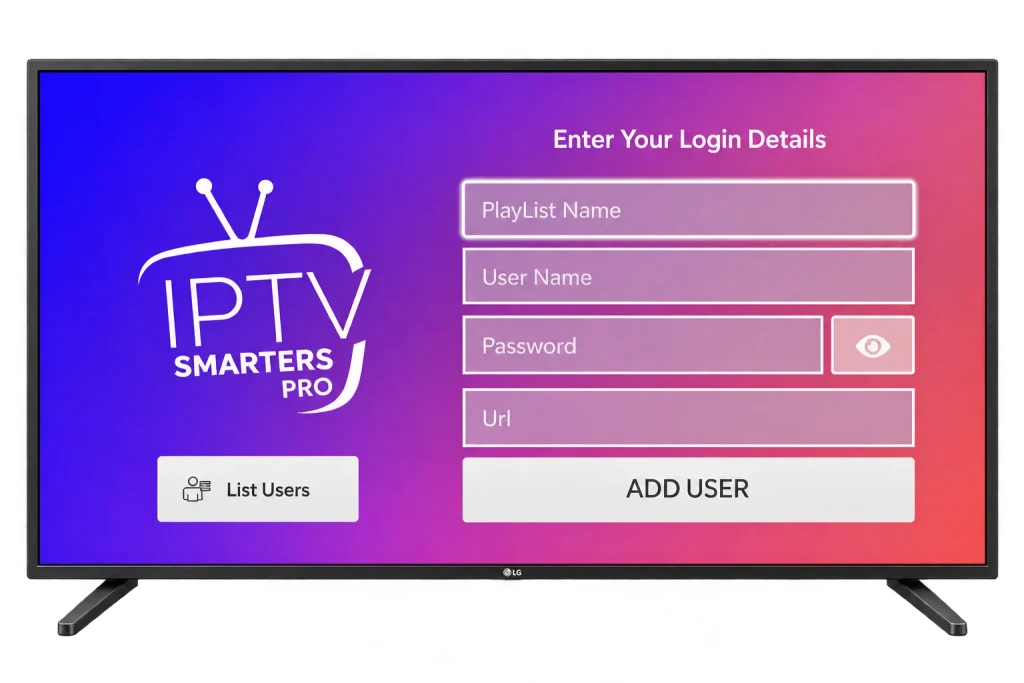
With the Magic Remote, point at each key instead of stepping through the keyboard, and use the scroll wheel to move along a long address. Later, List Users on the same screen shows the profiles you have added.
5. Activate a Player Through Its Website
Use this route with IBO Player, Duplex Play and similar apps, which download your playlist from the developer’s server.
- Install the player from Apps as in section 3 and open it.
- Note the MAC address or device key on its start screen, and take a photo of it. Use the one shown inside the app, not the TV’s network address.
- On your phone, open the developer’s official website and its playlist upload page.
- Enter the MAC address or device key, then paste your M3U link or fill in the Xtream Codes fields if the site offers them.
- Save, then close and reopen the app on the TV so it downloads the playlist.
6. Set Up the Guide and Favourites
Guide and playlist settings are inside the IPTV app, not in the TV’s menus.
- Guide: an Xtream Codes login fills it by itself. With an M3U link, add your provider’s EPG link in the app.
- Favourites: press and hold OK on a channel, or use the app’s heart or star icon.
- Hide groups you never watch so menus are shorter and the app loads faster.
- Wrong programme times: adjust the guide offset in the app’s settings.
- PIN lock: most players can hide categories behind a code.
- Long channel lists: the Magic Remote’s scroll wheel is the quickest way through them.
7. When Your LG TV Has No Good App
Older webOS versions eventually stop receiving new apps. A streaming device on a spare HDMI port is then the simplest fix, and often costs less than an activation fee:
- A Fire TV Stick, with our Firestick IPTV guide.
- A Google TV Streamer or Chromecast, where TiviMate installs from Google Play: see the Android TV guide.
- An Apple TV, covered in our Apple TV guide.
Most recent LG TVs also accept AirPlay from an iPhone, which is fine for a quick test. Our IPTV Guide covers every device we support.
8. Best Picture and Connection
- Use the LAN port. Nearly every LG Smart TV has one on the back. On Wi-Fi, choose the 5 GHz network. Plan on about 10 Mbps for each HD stream and 25 Mbps for 4K.
- Filmmaker Mode (under Picture Mode) turns off extra processing, the safest default for films and series.
- TruMotion is LG’s motion smoothing. LG’s own soap opera effect guide shows where to turn it off; keep it off for films and try a low setting for hockey and football.
- Game Optimizer stays off for TV. It is built for consoles.
- Quick Start+ keeps the TV in light standby. Turn it off when an app misbehaves, so switching the TV off gives it a real restart.
9. Fix Common LG TV Problems
Buffering or freezing
Unplug the TV for a full minute, restart the router, and plug in a network cable if you can. If it continues, our checklist for IPTV that stops working tells you within five minutes whether the problem is the TV, your network or the service.
Login fails or the channel list is empty
Check the Url, user name and password character by character: a missing port or a wrong capital letter causes most failures, and an expired plan loads an empty list. With website activation, check the MAC address matches the app exactly. If it still fails, IPTV Support can confirm your account from their side.
Sound out of sync, or missing on some channels
Use the player’s audio delay setting, then set the TV’s digital sound output to PCM. If a channel still has no sound, the app cannot play that audio format; try a second player.
The app disappeared or stopped opening
Store listings change, and an app can stop working after a webOS update. Delete it, install it again from Apps, or move to a backup player or a streaming device.
Frequently Asked Questions
Can I install an APK on an LG TV?
No. LG TVs run webOS, not Android, so APK files do not install, and anyone selling an “LG IPTV app file” is selling nothing. Every player comes from LG’s Apps store.
Is IPTV Smarters Pro free on LG TVs?
It is listed as free in LG’s store. Store listings and terms can change, so check the app page on your own TV before you install.
Do I pay the activation fee again after a reset?
Usually not, as long as the app shows the same MAC address or device key afterwards: the activation is tied to it. Compare it with your photo, and contact the app developer before paying again if it has changed.
How do I find my webOS version?
Look in Settings > All Settings, under Support or General: the screen is called TV Information or About This TV depending on the model. The version decides which apps the store offers you, so it helps when an app you expected is missing.
Can I use a VPN on an LG TV?
Not as an app: webOS has no VPN apps. A VPN for the TV has to run on your router. It adds privacy, costs a little speed, and does not change whether the content is licensed.
Is it legal to watch IPTV on an LG TV?
The TV and the players in LG’s store are legal. Whether the channels are licensed depends on the provider behind your login, as our post on whether IPTV is legal explains.
How many LG TVs can stream at once?
As many as your plan allows. Each TV streaming at the same time uses one of the connections on your plan, so check that number before setting up a second TV.
Conclusion
On an LG Smart TV, IPTV is one app and one login: IPTV Smarters Pro from the Apps store, your Xtream Codes details, and about 10 minutes with the Magic Remote. Before you put the remote down, run a cable from the router if you can and set Filmmaker Mode, because those two changes do more for picture and stability than any app setting. If you are still choosing a service, an IPTV free trial lets you test it on your own TV first.