
On this page
On this page
Jump to a section
To watch IPTV on a Samsung Smart TV, install an IPTV player from the TV’s Apps section, then either sign in on the TV with the Xtream Codes login from your IPTV Canada provider or upload that login on the app’s website using the MAC address the app shows. It takes about 10 minutes and needs no extra box on a TV that still gets app updates. The login itself comes in the welcome email for your IPTV Subscription. The one catch on Samsung is which apps your model can install, so the guide starts with a two minute check.
1. Check Your Samsung TV First
Samsung TVs run Tizen, Samsung’s own system. Tizen does not run Android apps, so everything must come from the Apps section of Smart Hub, and the IPTV apps on offer change with the model year and the region.
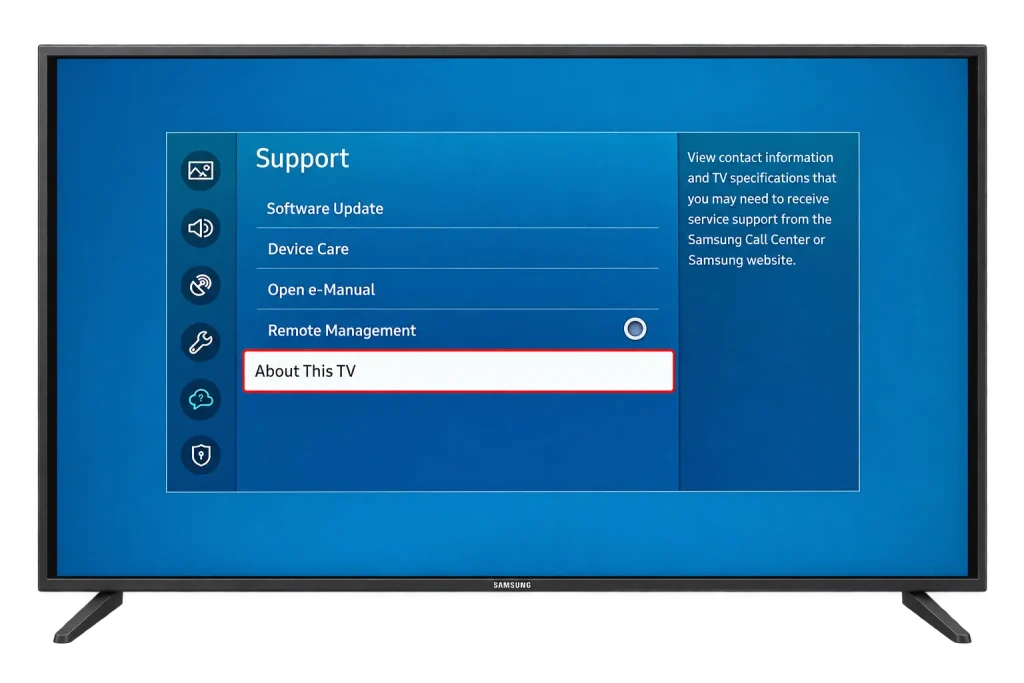
- Press Home, then open Settings > Support > About This TV. The exact path varies a little by model year.
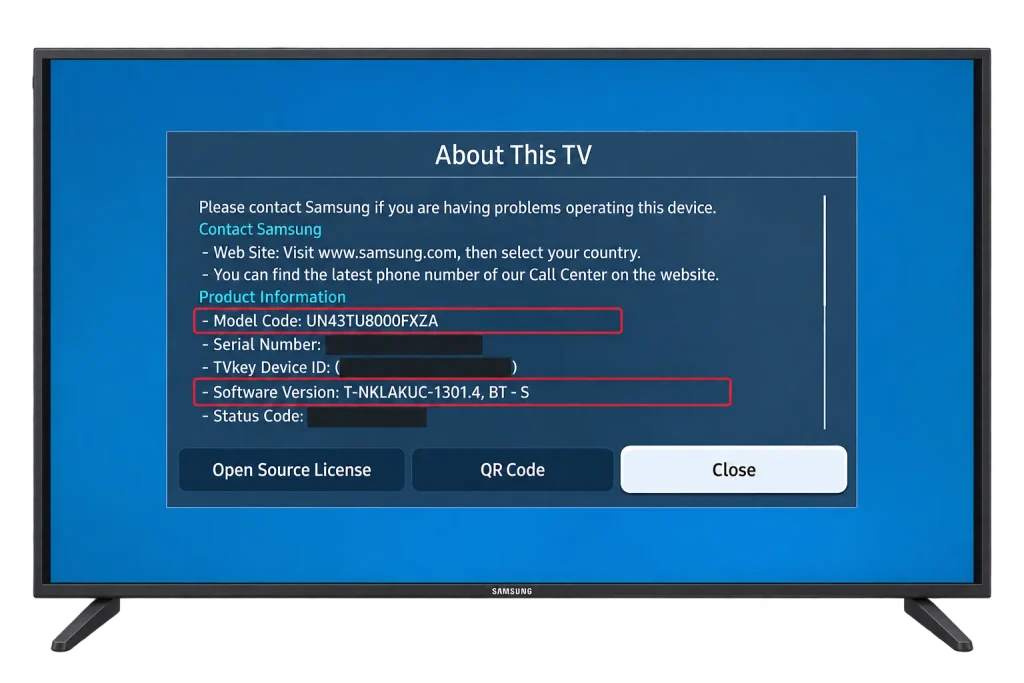
- Note the model code and software version. You will want them if you ever contact support.
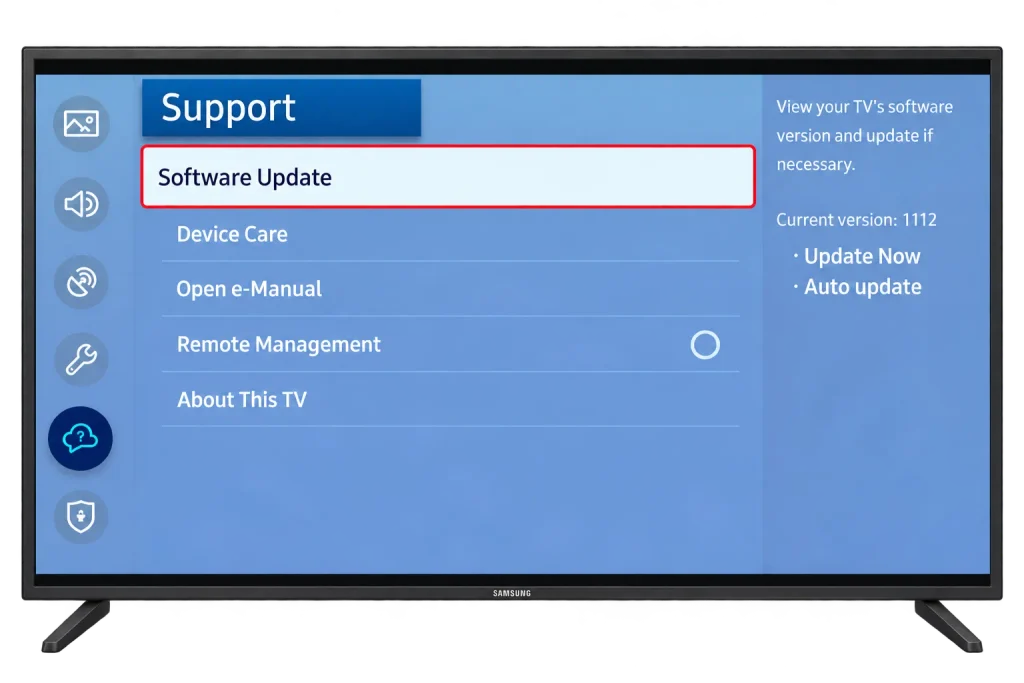
- Go to Settings > Support > Software Update and install anything pending. Samsung explains the options on its software update page.
- Open Apps from the home bar and search for “IPTV”. If nothing useful appears, your model may be too old for current players, and section 7 is your route.
Also have your welcome email ready, a phone for website activation, and an Ethernet cable if the TV is near the router.
2. Which App to Use
Samsung IPTV players add your login in one of two ways, and that decides how you set them up:
| App | How you add your login | Cost |
|---|---|---|
| IPTV Smarters Player | Xtream Codes typed on the TV | Check the app’s own trial and activation screen |
| IBO Player | Uploaded on the developer’s website with the app’s MAC address | Usually a trial, then a one time activation fee |
| Duplex IPTV (Duplex Play) | Uploaded on the developer’s website with the app’s device key | Usually a trial, then a one time activation fee |
| Set IPTV | Uploaded on the developer’s website with the app’s MAC address | Usually a trial, then a one time activation fee |
| SS IPTV | Playlist link or code added through its website | Free player |
Activation fees go to the app developer, not to your provider, and are usually paid once per TV. Pay them only on the developer’s own website, never through a link someone sends you.
The IPTV Smarters developer’s website has been offline, so if the Smarters app asks you to activate it there, use one of the website activated players instead. Search your own TV before you plan around any name: a recent Samsung and one from several years ago see different lists.
3. Install the App From Samsung Apps
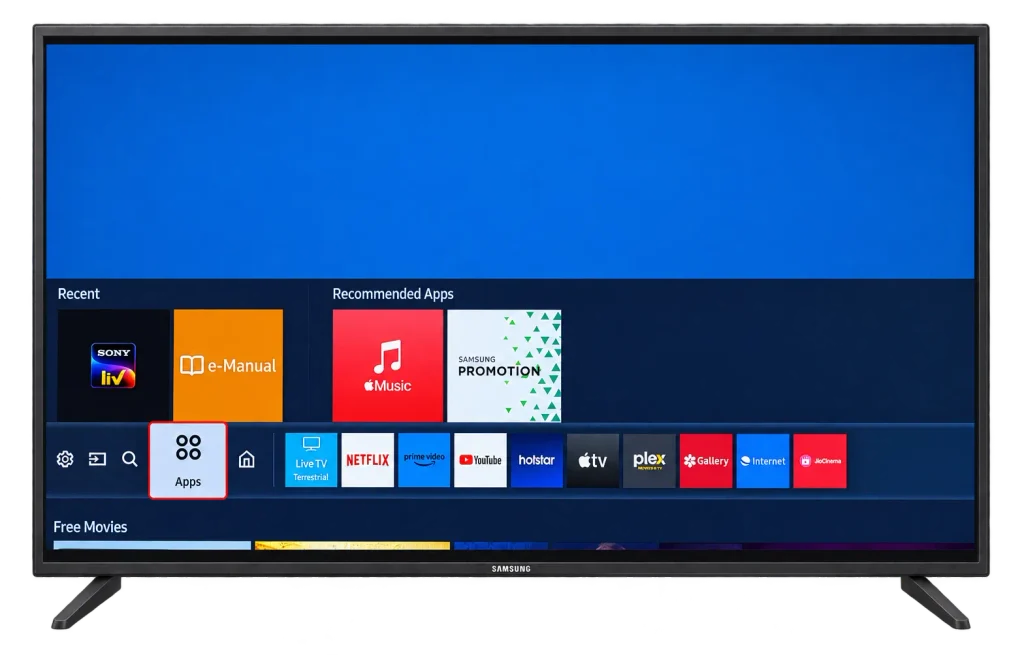
- Press Home and open Apps.
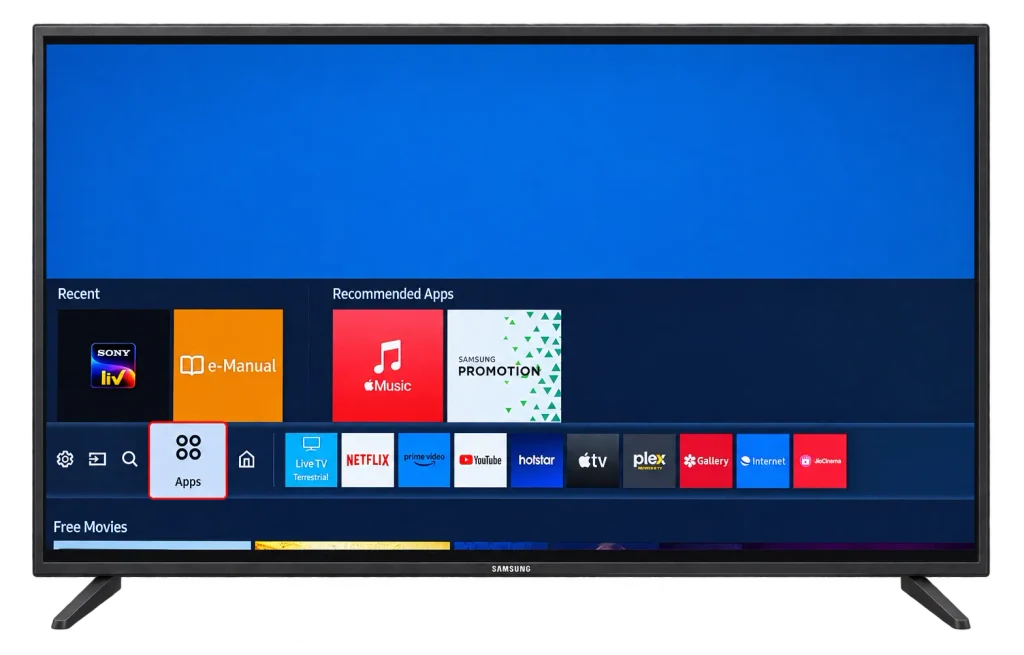
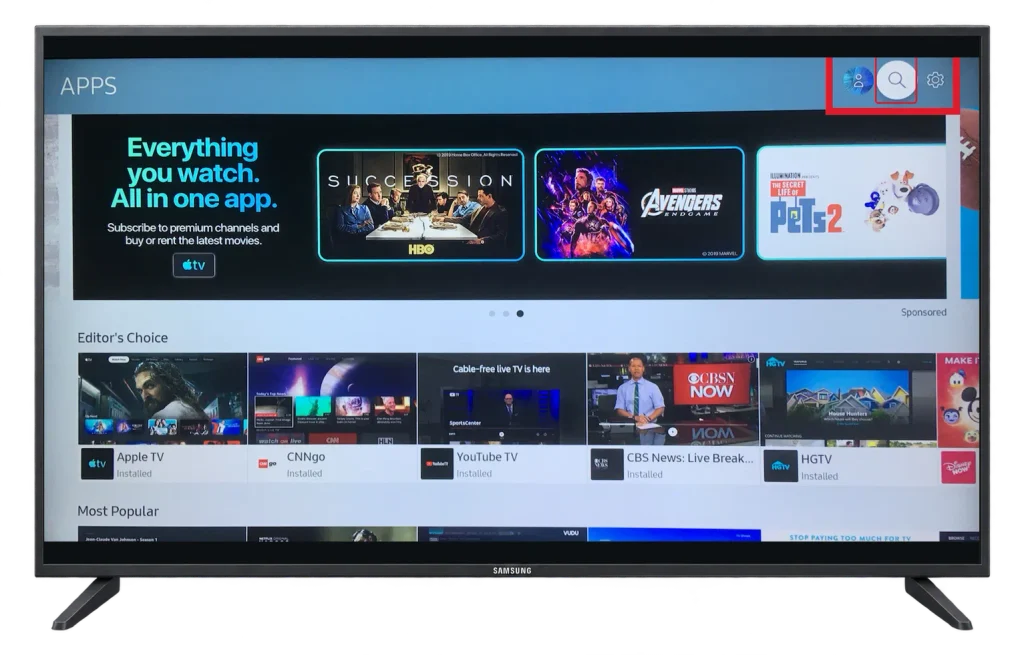
- Select the search icon at the top of the Apps screen.
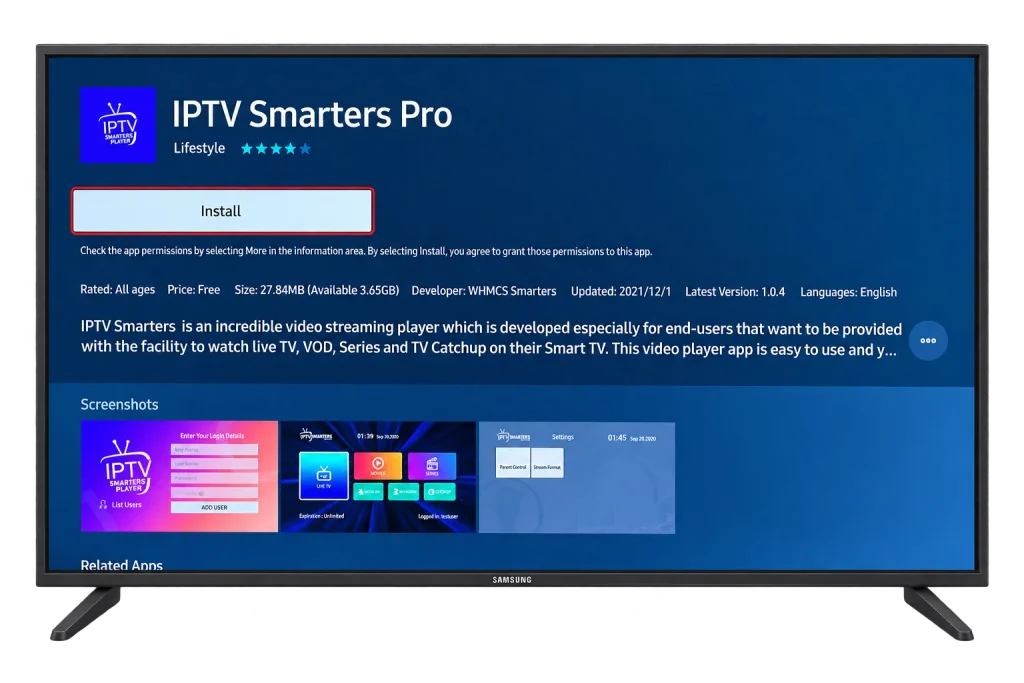
- Type the player’s name, open the result and read the developer name before you go further.
- Select Install, and sign in to your Samsung account if the TV asks.
- Choose Add to Home when offered, so the app sits on your home bar.
- Open the app once. If it shows a MAC address or device key, take a photo of the screen with your phone: you need it in section 5 and again after any reset.
Tizen blocks unofficial installs, and nobody can sell you a “Samsung IPTV app” as a file. If the app you want is missing, pick another from the table or go to section 7.
4. Sign In on the TV With Xtream Codes
Use this route with a player that takes the login directly, such as IPTV Smarters Player.
- Open the app and choose Login with Xtream Codes API.
- Type a name for the profile, such as “Home”.
- Enter the server URL exactly as your email shows it, including
http://orhttps://and the port number after the colon. - Enter the username and password. Both are case sensitive.
- Select Add User and wait while the channel list loads.
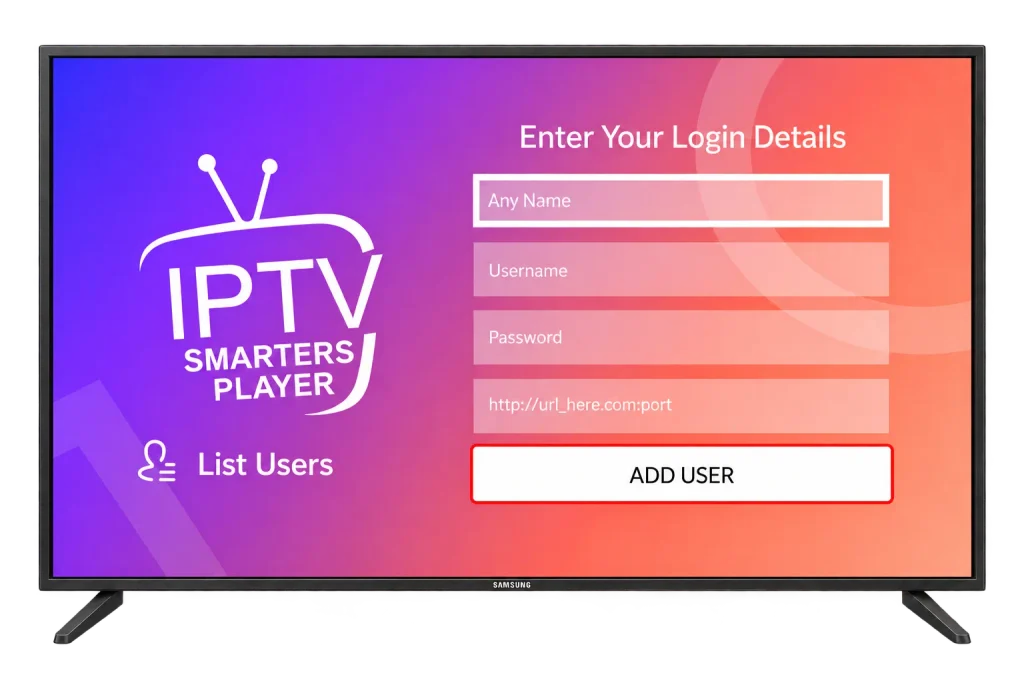
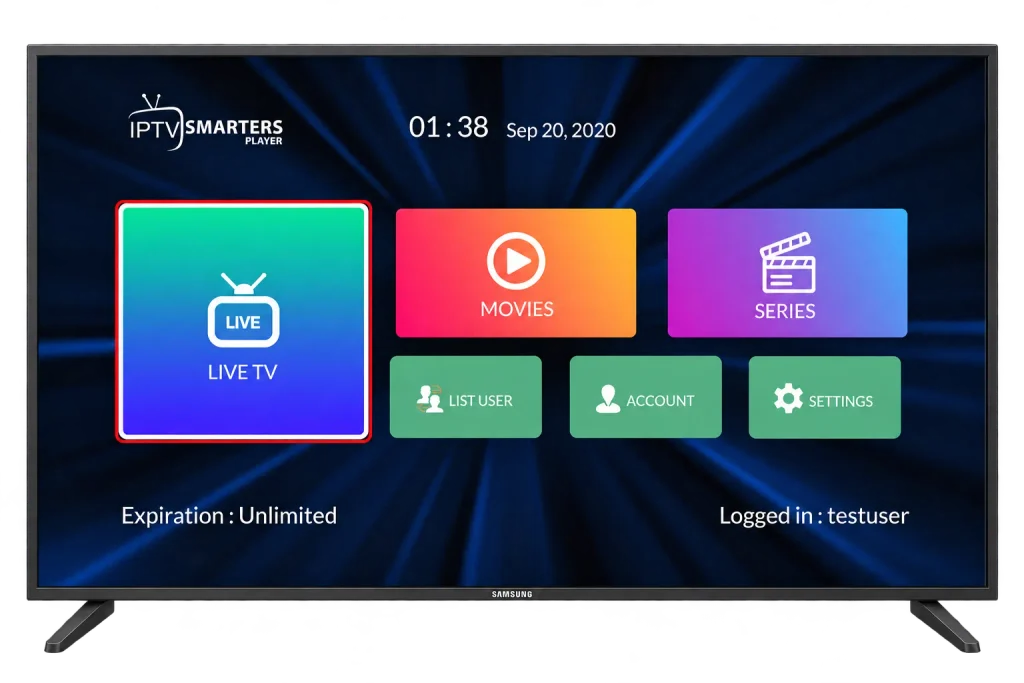
- Choose Live TV on the home screen to start watching.
5. Activate Through the Website With the MAC Address
Use this route with IBO Player, Duplex Play, Set IPTV and similar apps. It is faster than it sounds, because you paste the login on a phone instead of typing it with a remote.
- On the TV, open the app and note the MAC address or device key on its start screen. Use the one shown inside the app, not the TV’s network address: some apps create their own.
- On your phone, open the developer’s official website and go to its playlist upload page.
- Enter the MAC address or device key.
- Paste your M3U link, or fill in the Xtream Codes fields if the site offers them. Our post on where to get an IPTV URL shows what each part of the login looks like.
- Save, then close and reopen the app on the TV so it downloads the playlist.
6. Set Up the Guide and Favourites
Guide and playlist settings live inside the IPTV app, usually under its Settings or behind the remote’s menu button. Samsung’s own TV settings do not control them.
- Guide: with Xtream Codes it usually arrives with the login. With an M3U link, add your provider’s EPG link in the app’s playlist or EPG settings.
- Favourites: press and hold OK on a channel, or use the star icon. Build a short list on day one.
- Hide categories you never open. TV apps run on limited memory, so fewer groups load faster.
- Wrong programme times: adjust the guide offset in the app.
- One playlist per provider. Duplicates slow these apps down noticeably.
- PIN lock: most players can lock adult or late night categories.
7. When Your Samsung Cannot Get a Good App
A streaming device on a spare HDMI port is the fix for older Samsung models that no longer receive new apps, and it often costs less than an app activation fee.
- A Fire TV Stick, set up with our Firestick IPTV guide.
- A Google TV Streamer or Chromecast, where TiviMate installs straight from Google Play: see the Android TV guide.
- An Apple TV, the natural choice in a household of iPhones.
Many recent Samsung TVs also accept AirPlay from an iPhone or Smart View from a Galaxy phone. Both work in a pinch, but they tie up the phone and soften the picture. Our IPTV Guide covers every device we support.
8. Best Picture and Connection
Use the LAN port. Plug the TV into the router with a cable when you can. On models with a One Connect box, the port is on the box.
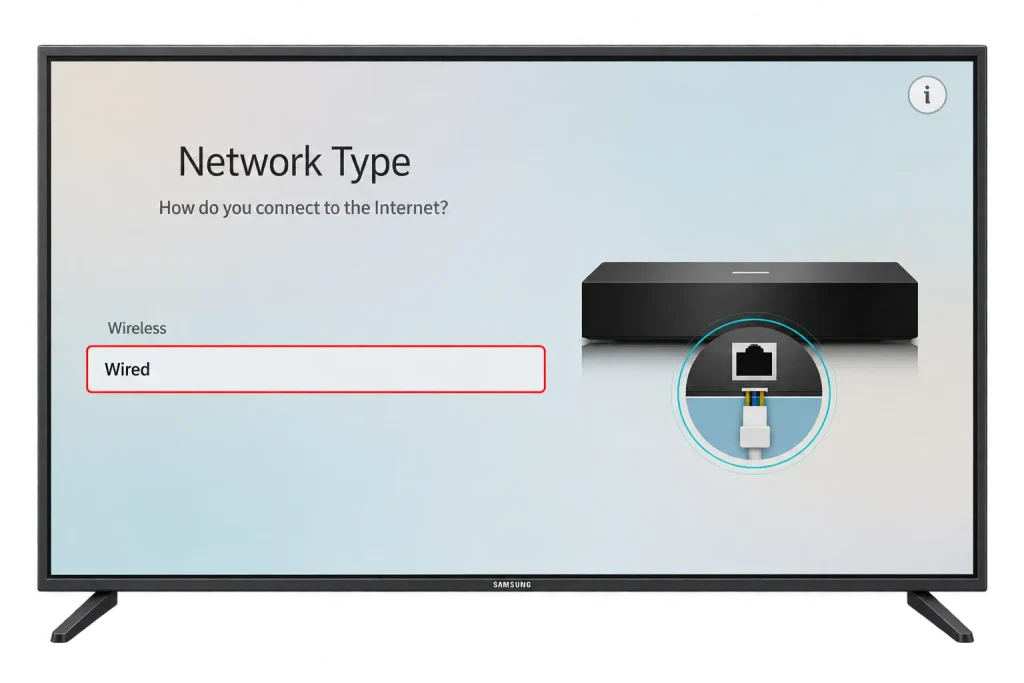
On Wi-Fi, join the 5 GHz network. Plan on about 10 Mbps for each HD stream and 25 Mbps for 4K.
Motion settings. Samsung calls its motion smoothing Picture Clarity, or Auto Motion Plus on older sets, under Settings > Picture > Expert Settings. As Samsung’s motion smoothing guide explains, it suits live sports but makes films look like soap operas, so leave it on Auto or turn it down for movies.
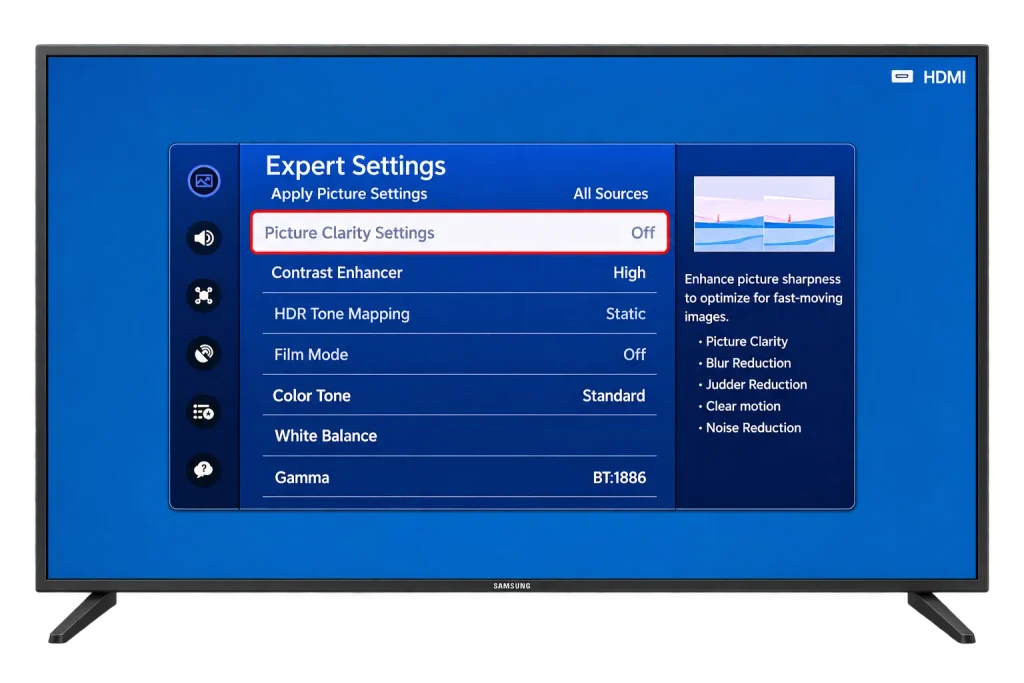
Picture mode and Game Mode. Movie or Filmmaker Mode gives more natural colour than the brightest preset, and Game Mode should be off for TV, since it switches off the processing that keeps live video smooth.
9. Fix Common Samsung TV Problems
The app is slow, freezes or will not open
Clear its cache. On recent models:
- Go to Settings > Support > Device Care.
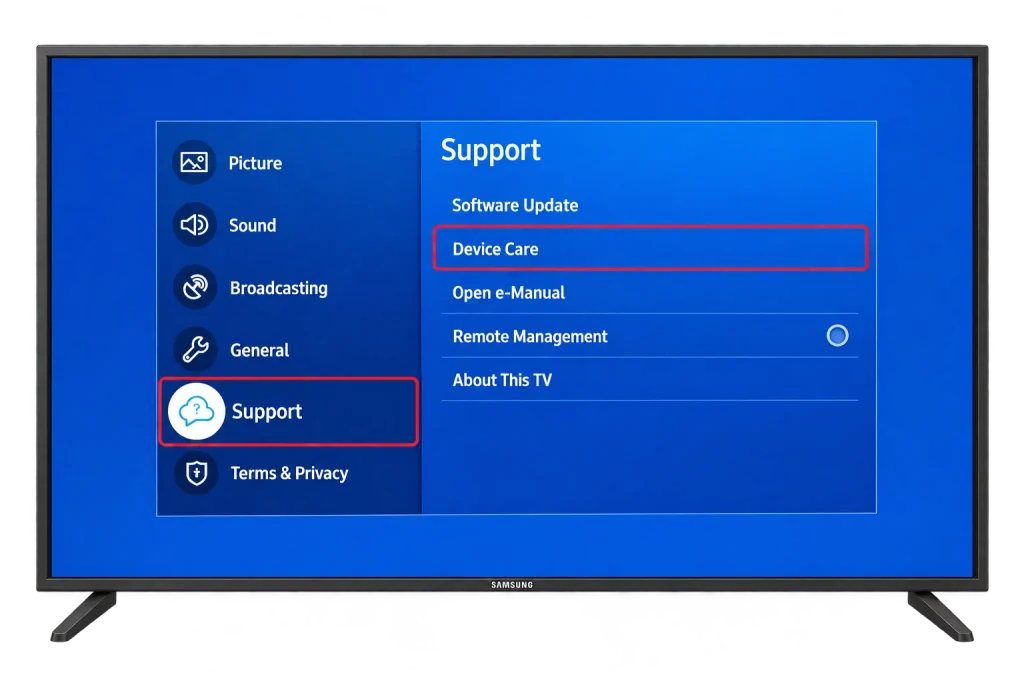
- Select Manage Storage.
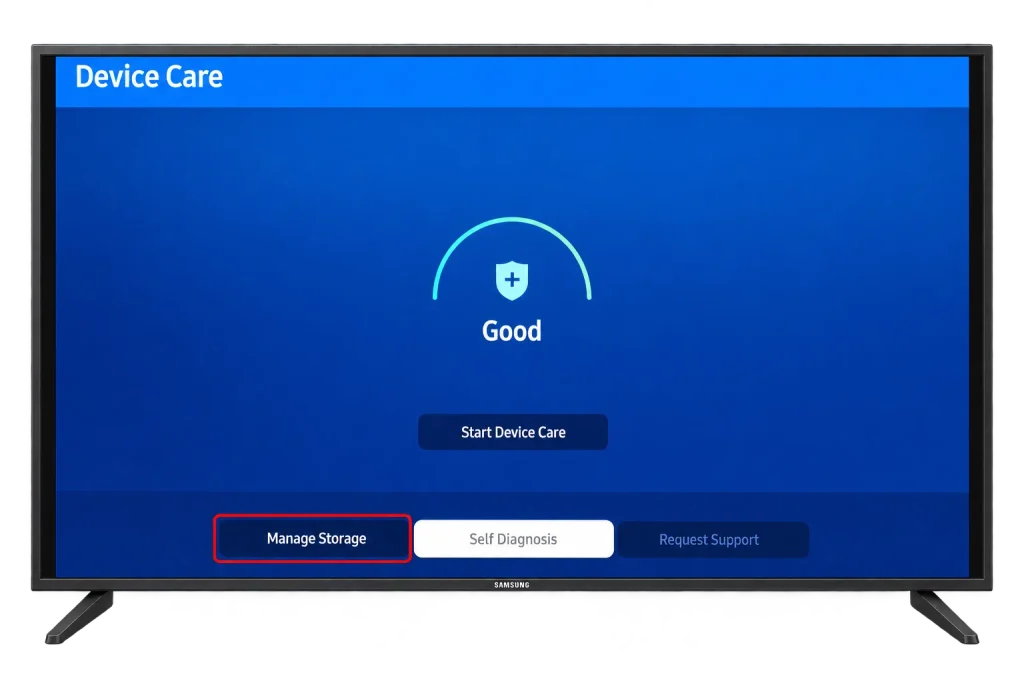
- Select the IPTV app and choose View Details.
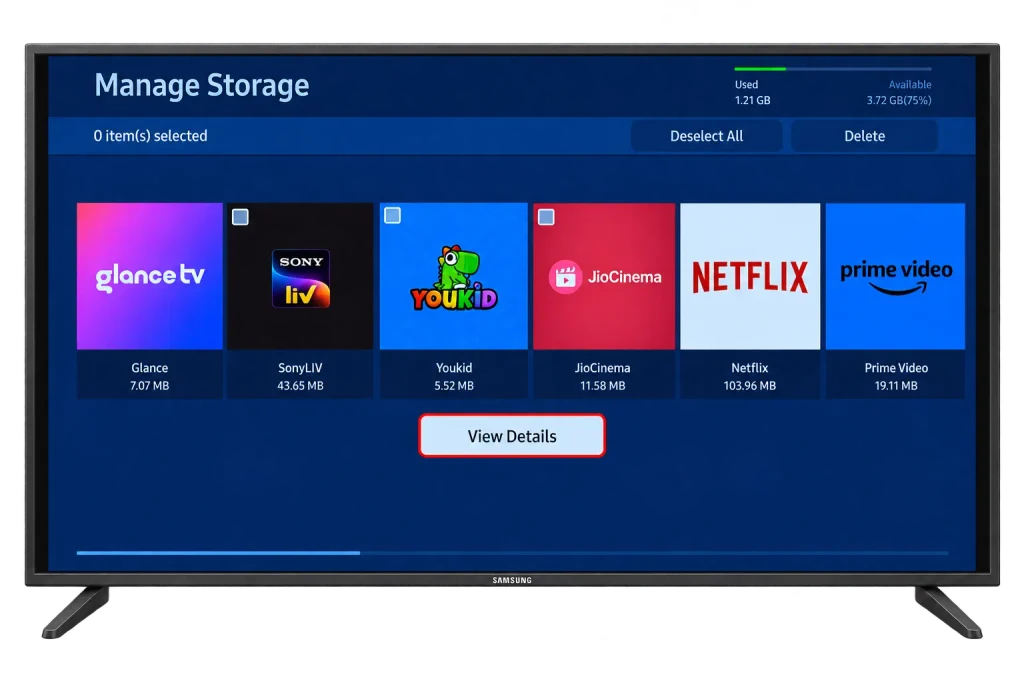
- Select Clear Cache.
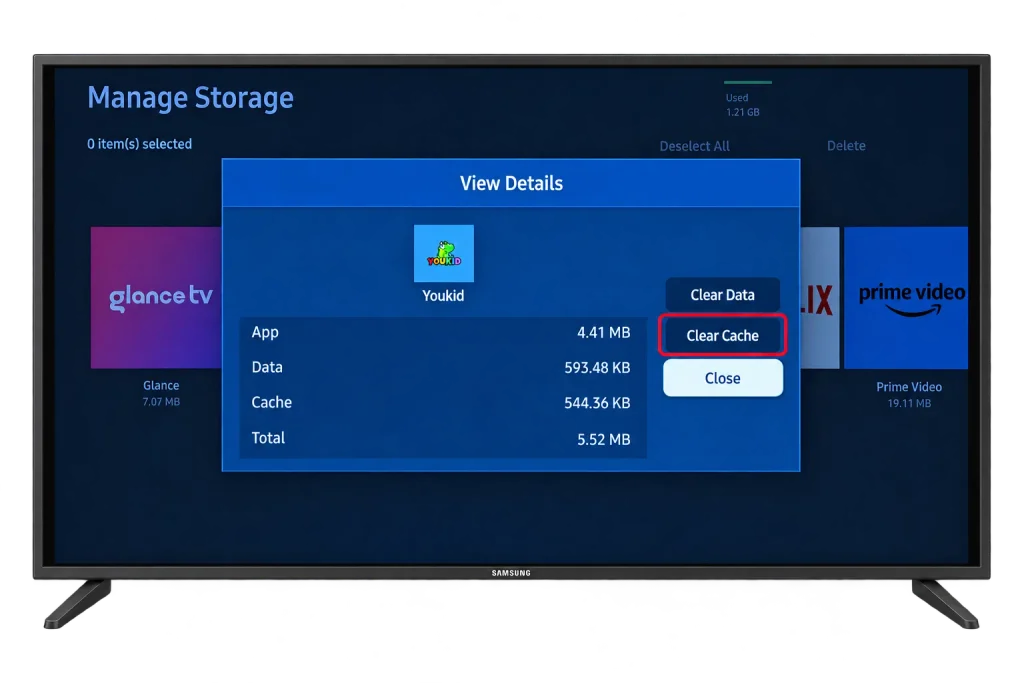
Samsung’s Device Care guide covers the same screens. On older sets without Device Care, delete the app and install it again.
Buffering or freezing
Unplug the TV from the wall for a full minute: the remote’s power button only puts it in standby. Restart the router too, then move the TV to Ethernet or 5 GHz Wi-Fi. If it continues, our checklist for IPTV that stops working tells you within five minutes whether the problem is the TV, your network or the service.
Login rejected or no channels
Retype every field: a missing port, a space after the password or a wrong capital letter causes most failures. With website activation, check that the MAC address you entered matches the one in the app exactly. If it still fails, IPTV Support can confirm your account from their side.
Sound out of sync or missing on some channels
Check the player’s audio delay setting, then set the TV’s digital audio output to PCM instead of pass-through. If a channel still has no sound, the app cannot play that audio format, and a second player usually can.
The app disappeared after a TV update
Developers drop older Tizen versions from time to time. Install another player from the table, or add a streaming device as in section 7.
Frequently Asked Questions
Can I install an APK on a Samsung Smart TV?
No. Samsung TVs run Tizen, not Android, so APK files do not install. Every app has to come from the Apps section of Smart Hub.
Do I pay the activation fee again if I reset the TV?
Usually not, as long as the app shows the same MAC address or device key afterwards: the activation is tied to it. Compare it with your photo, and if it has changed, contact the app developer before paying again.
Can I use one activation on two Samsung TVs?
No. Each TV shows its own MAC address or device key, so each one is activated separately.
Which Samsung TVs can run IPTV apps?
Any Samsung Smart TV that still receives app updates from Samsung. Older models stop seeing new apps first, which is why a quick search of the Apps section (section 1) is the real test.
Can I use a VPN on a Samsung TV?
Not as an app: Tizen has no VPN apps. A VPN for the TV has to run on your router. It adds privacy, costs a little speed, and does not change whether the content is licensed.
Is it legal to watch IPTV on a Samsung TV?
The TV and the players in Samsung’s store are legal. Whether the channels are licensed depends on the provider behind your login, as our post on whether IPTV is legal explains.
How many Samsung TVs can I watch on at once?
As many as your plan allows. Each TV streaming at the same time uses one of the connections on your plan, so check that number before setting up a second TV.
Conclusion
A Samsung Smart TV makes a tidy IPTV screen with no extra box, as long as your model can install a current player. Search the Apps section first, use Xtream Codes on the TV when the app supports it and the developer’s website when it does not, and plug in a cable if the router is close. Keep the photo of the app’s MAC address with your welcome email, because both are all you need to get running again after a reset. If you are still choosing a service, an IPTV free trial lets you test it on your own TV first.